


HomeGPT: AI Interior Design
4.516.00 Reviews
App Specs
- Version
- 1.0.8
- Updated On
- License
- Free
- Downloads
- 10,000+
- Developer
- Fire Elite Team
- Categories
- House & Home
- Platform
- Android
Screenshots
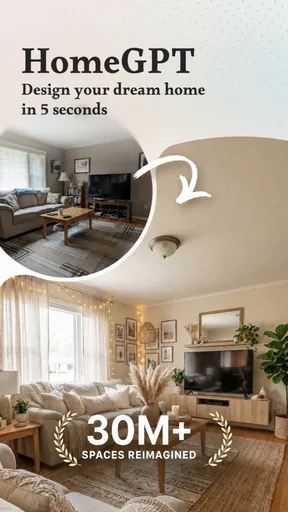
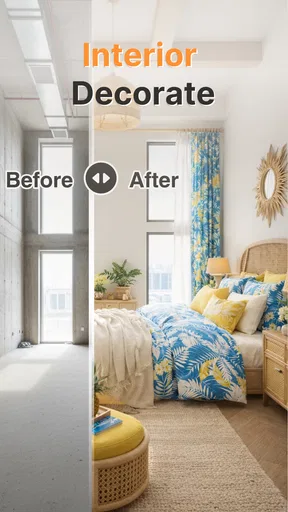
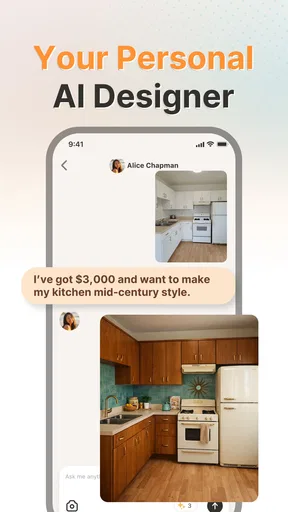
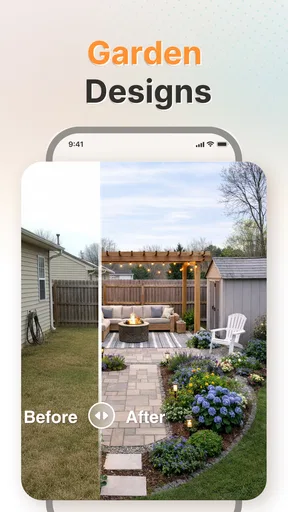
 Analysis by AppCompare
I like the idea of using HomeGPT: AI Home Makeover as a starting point when a room feels tired but I’m not ready to commit to new furniture or a full redesign. It is a free home-design app from Fire Elite Team, and its focus spans interiors, exteriors, gardens, and three-dimensional floor plans. That breadth makes it more interesting than a tool aimed only at choosing a sofa color, although the most useful results still depend on the photos and choices you bring to it.
A practical first pass, not a finished renovation plan
My most sensible approach is to begin with one clearly defined space rather than asking the app to reimagine an entire home at once. A photo of a living room, for example, gives you a concrete place to judge whether a suggested look suits your existing layout. I would tidy the frame, include the main furniture, and take the picture in steady, natural light; a cluttered or dim image can make it harder to assess the visual direction. Treat the result as inspiration, not a measured construction drawing.
That distinction matters because an AI makeover can help answer “Would I like this room to feel warmer or more minimal?” more readily than “Will this exact cabinet fit between these walls?” Before buying anything or booking work, I would check dimensions independently. The app’s visual ideas can help narrow a style, but they should not replace measurements, contractor advice, or a careful look at practical constraints such as doors, outlets, and walkways.
Build a repeatable habit around each room
To get more value from the process, I would keep each experiment focused: choose a room, decide what problem I want to solve, and compare a small set of directions against that goal. If a home office feels dark, for instance, I would look for concepts that make it feel lighter rather than switching between unrelated styles just because they are available. That simple discipline makes the options easier to evaluate and reduces the temptation to mistake novelty for a genuinely better fit.
It also helps to separate “inspiration” from “decision.” Save or note the ideas that solve a real need, then revisit them after looking at your room in person. A design that looks striking on a screen may be awkward with your current storage, cleaning routine, pets, or the way sunlight moves through the space. I find that this kind of second look is especially useful before making a purchase, since an attractive rendering is not a promise that every detail will translate exactly into a lived-in room.
Getting Started with HomeGPT
First things first, downloading and setting up HomeGPT: AI Home Makeover is a breeze. Available on both Android and iOS, the app greets you with a sleek, user-friendly interface that’s super intuitive. No tech-savvy skills needed here, folks! Once you’ve logged in, the magic begins.
Exploring the Features
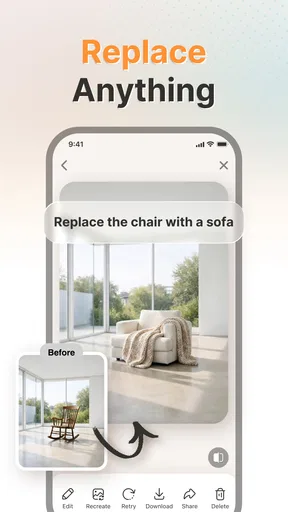
Now, onto the fun part—exploring the features. The app uses AI to analyze your space. You simply snap a photo of the room you want to redesign, and HomeGPT does the rest. It’s like having a virtual designer who’s never late.
Worth Reading Before You Choose

EA SPORTS FC Mobile 26 Is a Bigger Football Game, but It Takes Time

Flipboard Shows What News Apps Must Do Beyond the Feed

Switching to Android Auto Means Rethinking Your Driving Routine

Google Calendar Makes a Crowded Week Easier to Manage

Ludo King Makes the Most of the Minutes Between Plans

Baby Panda World Brings Quick Play to Modern Phones, but Its Game Library Feels Busy
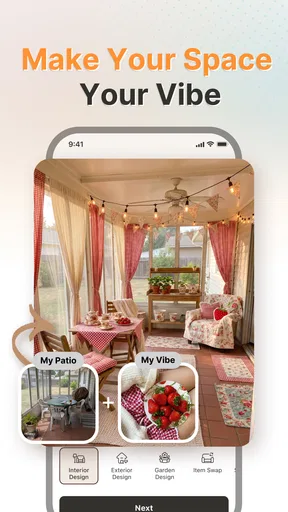
One feature I found absolutely mind-blowing is the style suggestion tool. Based on your current decor and some preferences you input, the app suggests styles that suit your taste. Whether you’re into minimalist vibes or boho chic, HomeGPT’s got you covered. And if you’re anything like me, eternally indecisive, you’ll appreciate the app’s ability to generate multiple design options.
Designing Your Dream Space
Let’s talk about execution. Once you’ve chosen a design, HomeGPT provides a detailed plan, complete with a shopping list of items you’ll need. Yes, you heard that right. You don’t have to wander aimlessly through furniture stores anymore. Just tap on the items, and you’ll get links to purchase them online. It's like having a personal shopping assistant.
Another cool aspect is the augmented reality feature. This lets you visualize how the new items will look in your space before buying. Just point your camera, and voila! The item appears in your room. It’s super handy for those of us who struggle with spatial awareness.
When a different tool is the better choice
For a renter deciding whether a new color palette feels right, a quick visual concept can be more helpful than browsing dozens of finished-room photos. But if your main question is whether a particular secondhand table will fit through a narrow doorway, a tape measure and a floor-plan sketch are more dependable. Likewise, a professional designer is a better choice for structural changes, detailed specifications, or a coordinated renovation where mistakes could be costly. I see this app as a way to make early choices clearer, not as a replacement for those tools.
The same applies to shopping. A suggested list can give you a direction for what to look for, but I would compare actual products by dimensions, materials, availability, and return terms before spending. Visual matching is only one part of a good purchase. This is especially important if you are furnishing a room gradually: a useful plan should still work when you buy one item now and another later, rather than relying on every pictured piece arriving at once.
Use the wider design scope selectively
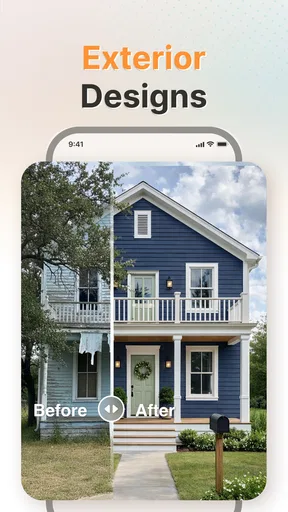
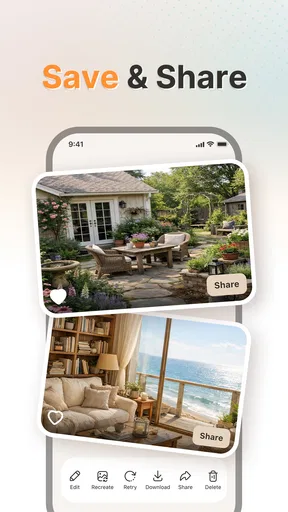
The app’s reach beyond interiors is potentially useful when a project crosses the threshold of the house. If I were refreshing a small garden, I would use a generated concept to explore the overall mood and arrangement, then check plant suitability and local conditions separately. For an exterior, I would treat the image as a way to compare broad visual directions, not as evidence that a proposed material or finish is suitable for the building. Those checks depend on the property and its environment, not just on appearance.
Three-dimensional floor plans can also help when I am thinking about how rooms relate to one another, but I would still verify the underlying dimensions before using a plan to make furniture or renovation decisions. The useful question is whether the layout idea improves movement and makes daily routines easier. A visually neat arrangement is not automatically practical if it blocks a path or leaves too little usable space.
What the rating and cost picture means in practice
HomeGPT has a 4.0 average from around 83 ratings and has passed 10,000 installs, so it has some uptake without being a reason to assume every result will suit every home. It is free to install, rated for Everyone, and version 1.0.4 requires Android 8.0 or later. In-app purchases range from $3.99 to $69.99 per item, which is worth keeping in mind if you are only looking for occasional inspiration. I would start with the free experience and consider paying only after I understand which parts I actually use; a design app is poor value if it becomes a one-evening novelty.
One practical question is whether I need design experience to get started. I don’t think so: the appeal is that a photo and a clear preference can give a beginner something tangible to react to. The harder part is judging the result sensibly. Another question is whether it can settle a purchase decision; I would use it to shortlist ideas, then confirm product details and room measurements elsewhere. That division of labor keeps the app useful without asking it to do a job it is not suited to.
Why You’ll Love It
If you’re a design enthusiast or just someone who loves a good home makeover, this app is a game-changer. It’s ideal for anyone looking to refresh their space without the hefty designer fees. Plus, the AI is constantly learning and updating its suggestions, so you’re always on the cutting edge of interior trends.
And hey, even if you’re not planning a big makeover right now, it’s just plain fun to play around with. Who doesn’t love a bit of room transformation magic?
Who will get the most from it
I think the strongest fit is someone who has a room they want to improve but needs help turning a vague feeling into a visual direction. A first-time homeowner comparing looks, a renter planning a reversible refresh, or a household trying to agree on a shared style can all benefit from having concepts to discuss. It can also be a useful prompt for people who already have ideas but want to see whether a different arrangement or mood feels more convincing before they spend time sourcing furniture.
It is less suitable if you expect a precise architectural plan, guaranteed product availability, or professional guidance on building work. It may also frustrate anyone who wants a fully controlled design process with exact material specifications from the outset. In those situations, a drafting tool, a specialist consultation, or simply a careful manual plan is likely the better next step. The app is most rewarding when you are open to exploring, but still willing to check the practical details yourself.
Mastering the idea-to-action step
For a realistic weekday use, imagine that I notice my entryway has become a dumping ground for shoes and bags. I could photograph the area, use the visual suggestions to explore a calmer look, and note whether the ideas make storage feel more central. Then I would measure the available wall and floor space, check what needs to remain accessible, and decide whether a small change—perhaps rearranging what I already own—is enough. That workflow turns a playful concept into a useful household decision without treating a generated image as a shopping order.
Before exploring repeated designs, I would also check the app’s current settings and any purchase prompts so I understand what is included and what might cost extra. Since this is a visual tool, it is worth deciding what personal details appear in room photos and framing images to show the space rather than private documents or family information. I would keep a simple note of which visual direction I prefer and why; that makes it easier to return to a decision later instead of generating more options without a clear purpose.
Final Thoughts
In conclusion, HomeGPT: AI Home Makeover is a fantastic tool for anyone wanting to revamp their living space. With its impressive AI features, user-friendly design, and practical shopping integration, it’s like having a design guru at your fingertips. So go ahead, give it a whirl, and watch your home transform into the haven you’ve always dreamed of.
Download it today and start your journey towards a more beautiful space!
My verdict after weighing the trade-offs
I would recommend HomeGPT as an idea generator for people who want to make better early design choices, particularly when a photo helps them explain what feels wrong with a room. Its combination of interior, exterior, garden, and floor-plan concepts gives it more range than a basic mood-board app, while the visual approach is quicker to explore than starting from a blank page. Still, its value depends on treating those ideas as proposals to test, not instructions to follow blindly.
If I were using it regularly, I would make each session answer one practical question, compare only the concepts relevant to that question, and verify measurements and purchases outside the app. That habit keeps the experience focused and helps avoid paying for features before I know they matter to me. For low-stakes inspiration and a clearer sense of direction, it is an appealing free starting point; for technical planning or costly renovation decisions, I would bring in more precise tools and professional judgement.
Pros
- Easy-to-use interface for all users.
- Diverse design templates available.
- AI offers creative design suggestions.
- Real-time collaboration with designers.
- Supports both Android and iOS devices.
Cons
- Limited free features available.
- Occasional lag in AI processing.
- In-app purchases can be pricey.
- Requires a stable internet connection.
- Some features need improvement.
FAQs for HomeGPT: AI Interior Design
What is HomeGPT: AI Home Makeover?
HomeGPT: AI Home Makeover is a cutting-edge app designed to assist users in visualizing home renovations and makeovers using AI technology. It allows users to upload images of their spaces and apply various design templates, colors, and furniture arrangements, offering a realistic preview of potential home improvements.
How does the AI technology work in HomeGPT?
HomeGPT uses advanced AI algorithms to analyze uploaded images and suggest design enhancements. The AI identifies key elements in the room, like walls and furniture, and applies design templates accordingly. This allows users to experiment with different styles and layouts, offering a personalized and interactive home makeover experience.
Is HomeGPT suitable for professional designers?
Yes, HomeGPT is suitable for both amateur and professional designers. While it offers user-friendly features for beginners, its advanced customization options and realistic rendering capabilities provide professionals with a powerful tool to conceptualize and communicate design ideas effectively, enhancing their creative process.
What devices are compatible with HomeGPT?
HomeGPT is compatible with both Android and iOS devices. It requires a minimum operating system version to ensure optimal performance. Users should check the app store for specific device requirements and ensure their system is updated to the latest version for the best experience.
Is there a cost associated with using HomeGPT?
HomeGPT offers a free version with basic features and a premium subscription for advanced functionalities like high-resolution renders and exclusive design templates. Users can choose a plan that suits their needs, with the option to try premium features through a limited-time trial before committing to a subscription.


